4 CTR Manipulation Tools to Boost Organic CTR vs SearchSEO
You are paying for clicks that may never register as real visits. Many platforms send traffic without proof, so you cannot confirm a single session happened where you targeted it. That gap makes switching tools a decision about verification, not just volume.
This article breaks down what separates a trustworthy CTR tool from a risky one: proof, targeting, platform coverage, and credit models. You will get a clear comparison of four options, a criteria checklist, and a definite number one pick so you can choose with confidence.
What to Look For in CTR Manipulation Tools
Evaluating CTR manipulation tools requires focusing on verifiable proof, precise targeting, and transparent credit systems rather than marketing claims. The market is crowded, and the gap between a serious CTR booster and a thin reseller front is not always obvious from a landing page.
A tool that cannot show what a visit actually looked like is asking for trust it has not earned. The same applies to targeting controls: a campaign that cannot be aimed at a specific keyword, device, or city is closer to bot traffic than to behavioral SEO.
Pricing matters just as much. If you cannot work out the effective cost per visit, you cannot compare options or plan a budget that scales with your SEO strategy. The criteria below break these concerns into two practical checks you can apply to any vendor before spending a credit.
Proof, Targeting, and Platform Coverage
The most reliable CTR tools provide screenshot proof for each visit, support major search platforms, and allow precise targeting by device, location, and keyword. Proof is the first filter, because it separates tools that actually deliver sessions from those that only promise them.
Look for logs or images that show the search being performed, the SERP result, and the landing page as it appeared. Separate proof images for the search step and the landing page step are a good sign, since they confirm the full path rather than a single frame.
Targeting depth is the second filter. A capable tool should let you define:
- Device: desktop and mobile visits, since SERP CTR and layout differ between them
- Location: country, state, or city level, which matters for local intent keywords
- Keyword: the exact query you want the click to come from
Platform coverage should include Google and Bing, and ideally extend to Maps and AI Overviews as those surfaces absorb more impressions. Some tools also track dwell time and bounce rate so sessions mimic organic behavior instead of ending in instant pogo-sticking.
Ask how the tool handles the mechanics behind the visit. Residential proxies, varied user agents, and IP rotation reduce the chance that automated clicks look like click fraud or click farm activity to search algorithms. A vendor that explains this openly is easier to assess than one that stays vague about bot traffic controls.
Credit Models and Pricing Transparency
Understanding how a tool charges for visits, whether through credits, subscriptions, or pay-per-click, is essential to avoid hidden costs and ensure predictable budgeting. Most CTR manipulation tools settle into one of three models.
| Model | How It Works | What to Check |
|---|---|---|
| Monthly subscription | Fixed fee with a credit allowance | Whether unused credits roll over |
| Pay-as-you-go | Buy credits in packs as needed | Minimum purchase and expiry dates |
| Tiered plans | Higher tiers add volume and features | Where targeting options get locked |
The detail that decides real cost is the conversion rate between credits and visits. One desktop visit and one mobile visit may consume different amounts, and some tools charge extra for location precision or keyword difficulty. A clear rate card makes comparison possible; a complex system with unexplained multipliers usually hides a markup.
Calculate the effective cost per visit before committing. Take the plan price, divide by the visits it realistically delivers at your targeting level, and compare that figure across vendors. Then ask whether the model scales: if your SEO strategy expands to more keywords or cities, does the price grow in a predictable line or jump at a tier boundary?
Watch for warning signs such as pricing available only after a sales call, credits that expire quickly, or terms that obscure how automated clicks are billed. Transparent vendors publish their rates and let the numbers speak for themselves.
1. CTRTool - Best Overall
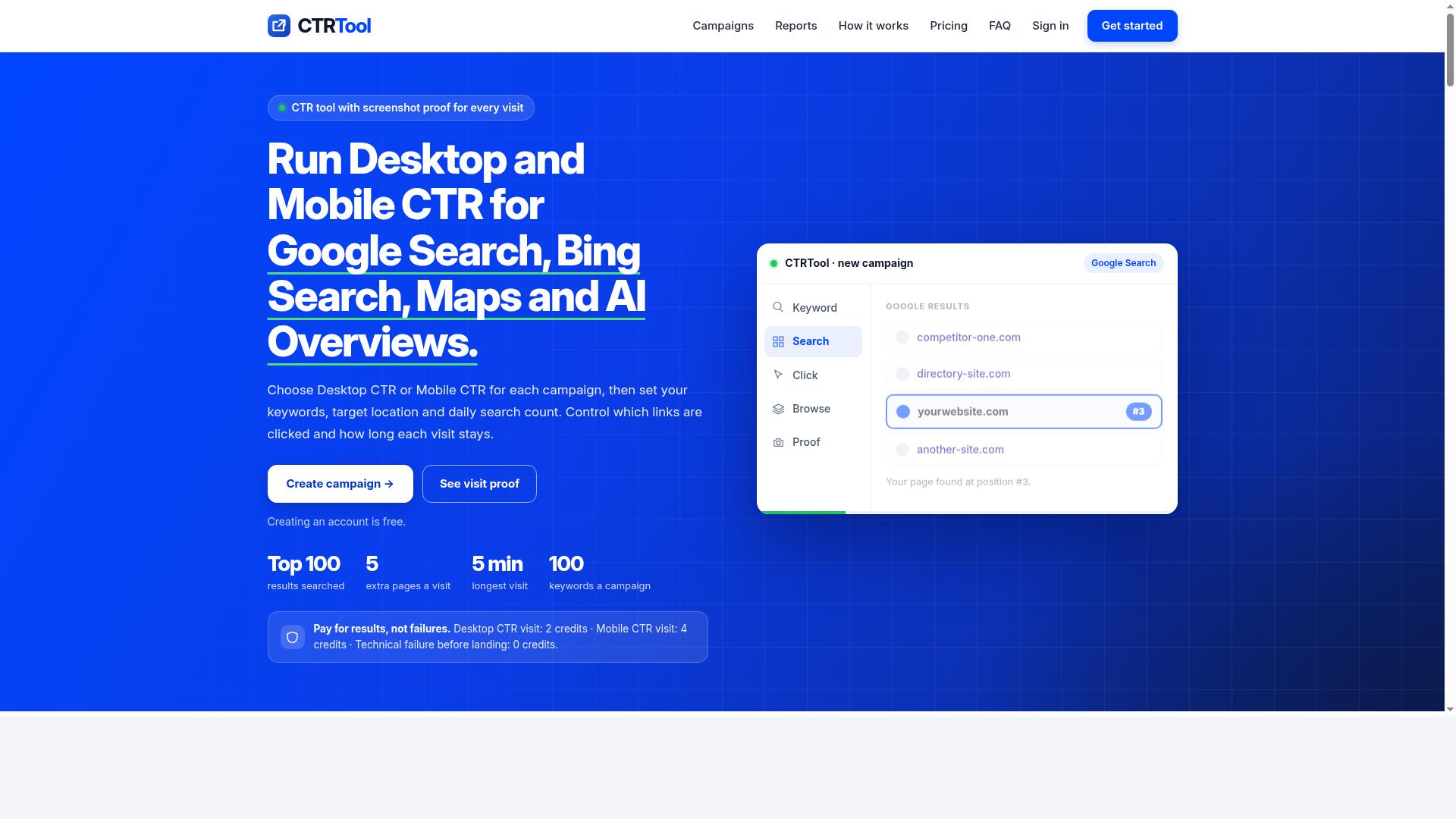
CTRTool stands out as the best overall CTR manipulation tool due to its comprehensive campaign types, verifiable screenshot proof, and transparent pricing. It is positioned as a CTR tool with screenshot proof for every visit, covering Google Search, Bing Search, Maps and AI Overviews in one platform.
That breadth matters because organic CTR now spans more than the classic ten blue links. AI Overviews and local listings both shape user behavior signals, and few tools address all of them. The sections below break down the campaign types, the proof system, and the credit-based plans.
Campaign Types and Screenshot Proof
CTRTool offers four campaign types, Google Search CTR, Bing Search CTR, Google Maps CTR, and AI Overview CTR, each with screenshot proof for every visit. Every campaign supports country, state and city targeting, or Any country, with search depth up to 100 results.
The Google Search CTR campaign searches a keyword and clicks the organic result, on desktop or mobile, across the top 100 results. Internal page URLs and link text can be defined, along with click order and scrolling time. Bing Search CTR follows the same structure for Bing.
Google Maps CTR finds the business listing and clicks its website link, checking up to 50 listings with city targeting. AI Overview CTR requires matching: the tool finds the website in the overview and clicks its source link, tracking citation order. Campaigns hold up to 100 keywords each.
Proof is where the platform separates itself. Reports include separate screenshots of the search and the landing page, plus full visit paths covering up to five additional pages per visit. Visits can last up to five minutes total.
Reports also track keyword positions over time, including Search positions, Maps listing order and AI citation order.
Pricing and Credit Model
CTRTool uses a credit-based monthly subscription model with plans starting at $59 per month for 2,000 credits, where credits convert to desktop or mobile CTR visits at different rates. Creating an account is free.
- Starter: $59/month for 2,000 credits, up to 1,000 Desktop or 500 Mobile visits
- Growth: $125/month for 5,000 credits, up to 2,500 Desktop or 1,250 Mobile visits, marked Recommended
- Scale: $399/month for 20,000 credits, up to 10,000 Desktop or 5,000 Mobile visits
- Agency: $699/month for 40,000 credits, up to 20,000 Desktop or 10,000 Mobile visits
The conversion is simple. A Desktop CTR visit costs 2 credits, while a Mobile CTR visit costs 4 credits. A verified search without a match costs 1 credit, and a technical failure before landing costs 0 credits.
That last detail is the transparency piece. Readers are not charged for visits that never reached the site, and device targeting directly shapes how far a plan stretches. Mobile-heavy campaigns consume credits roughly twice as fast as desktop ones.
Unused credits roll over while the subscription is active and expire when cancellation takes effect. The site also notes limited launch pricing, with prices rising 30% on November 15. Custom development, such as custom form filling or other actions arranged through support, carries a separate agreed one-time fee.
Choose a plan by matching campaign volume to your device mix. A desktop-focused Google Search campaign fits comfortably in Starter, while a mobile Maps push or multi-client Agency work points higher up the ladder.
2. SERP Empire
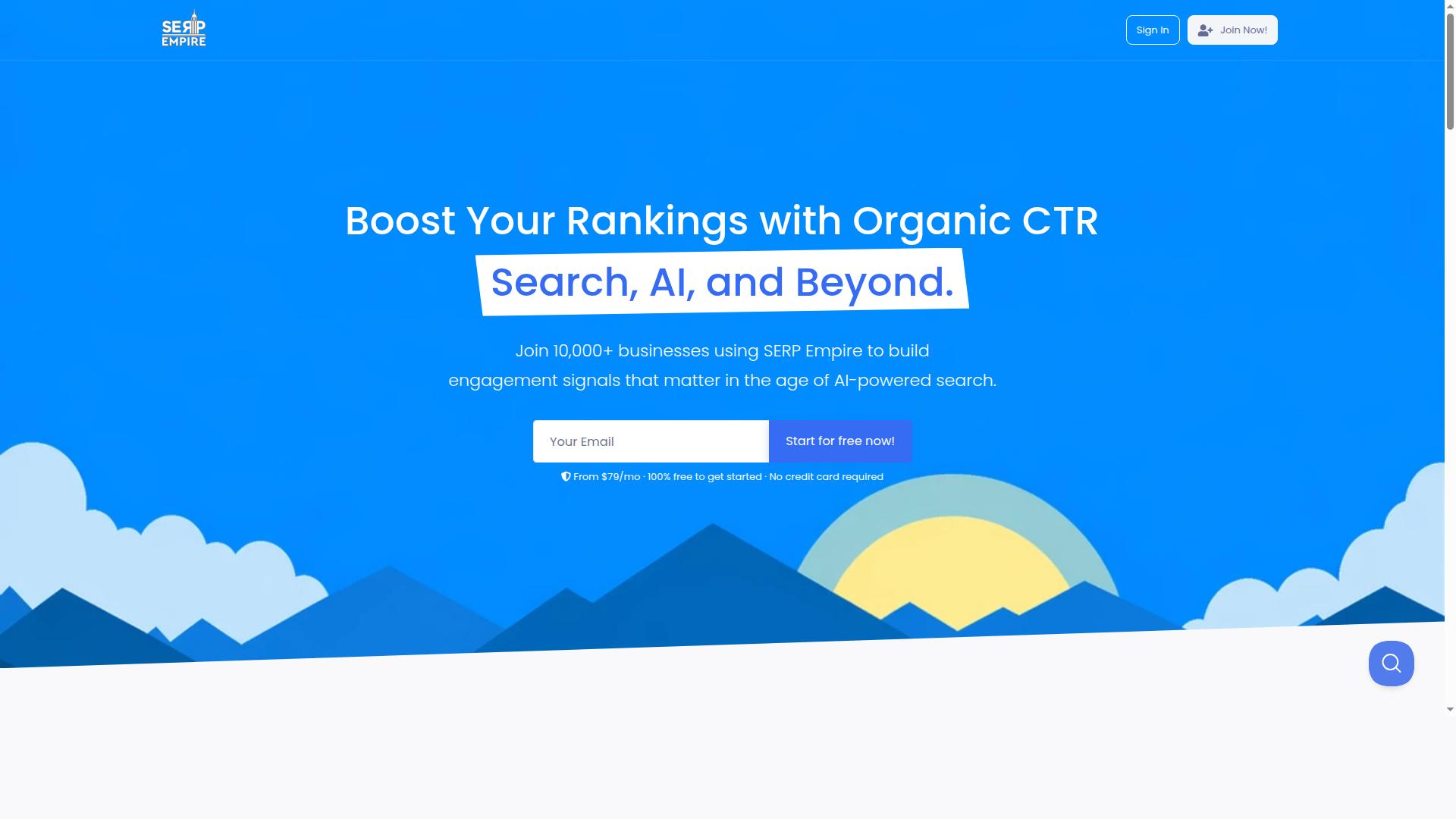
SERP Empire is a CTR manipulation tool that focuses on automated clicks and proxy rotation to simulate organic traffic, but lacks the screenshot proof and platform coverage of top-tier options. It shows up in public discussions alongside other traffic generators, yet the documented detail around it is thin.
The tool appears to be built around a familiar trio of mechanics: automated clicks, proxy rotation, and user-agent spoofing. Together these are meant to make scripted visits look like they come from different devices and locations.
That approach targets the same user behavior signals that behavioral SEO practitioners watch, including click-through rate, dwell time, and bounce rate. Whether the resulting organic traffic pattern holds up under scrutiny is a separate question.
Coverage and transparency are where the tool seems to fall short. Public listings place it in a broad traffic-generator category rather than a dedicated SEO suite, and there is little in the way of verifiable reporting.
The main limitations reported or implied in public sources include:
- No screenshot proof or visual confirmation of delivered clicks
- Limited platform support compared with more established options
- No published pricing on the pages where it is listed
- No user reviews or ratings on at least one directory that indexes it
Feedback from practitioner forums is mixed at best. Users in a BlackHatWorld thread grouped SERP Empire with SearchSEO and TrafficBot and reported that such tools did work in a narrow sense, but that the ROI was not there.
Some of those same users said they did not notice any relevant effect on rankings. One noted that CTR manipulation of this kind can harm website credibility and carries a risk of search engine penalties.
That risk matters because click fraud detection and bot filtering are ongoing concerns for search algorithms. Traffic that looks synthetic can undermine trust rather than build it.
Against a purpose-built CTR booster, the contrast is mostly about depth of reporting. A tool that documents campaigns with evidence gives SEO teams something to evaluate and adjust, while an unverified stream of clicks leaves CTR optimization decisions resting on assumption.
For teams weighing SERP Empire as part of an SEO strategy, the practical checks are straightforward. Ask what proof of delivery exists, which platforms are supported, and how results can be tied back to metrics in Google Search Console such as impressions, average position, and SERP CTR.
If those answers are unclear, the tool may be better suited to experimentation than to a sustained campaign. It suits SEO practitioners exploring CTR manipulation, not teams that need auditable outcomes.
3. ClickSEO
ClickSEO offers CTR manipulation services with a focus on residential proxies and CAPTCHA solving, but its pricing and proof mechanisms are less transparent than industry leaders.
The tool is built around sending real organic search clicks to a website in order to raise click-through rate and support Google rankings. It simulates user behavior and targets keywords directly on the search engine results page.
That places it in the same behavioral SEO category as other CTR boosters. The difference lies in how openly a vendor documents its network, its reporting, and its cost.
ClickSEO leans on two technical pillars: residential proxies and CAPTCHA solving. Residential proxies route automated clicks through real household IP addresses, which makes proxy rotation harder to flag than datacenter ranges.
CAPTCHA solving keeps those sessions moving when Google challenges suspicious activity. Combined with varied user agents, the setup aims to mimic genuine visitors rather than obvious bot traffic.
This approach targets the user behavior signals that search algorithms may weigh, including dwell time, bounce rate, and pogo-sticking. Whether those signals respond as intended is a separate question from whether the clicks are delivered.
- Organic clicks: sends search clicks to target pages for chosen keywords
- Analytics compatibility: works alongside major analytics tools
- Engagement metrics: aims to improve session duration, bounce rate, and page views
- Use cases: SEO professionals, agencies, new sites seeking initial rankings, established sites targeting core keywords, and local businesses working on GMB exposure
On paper, the feature set covers the basics of a CTR booster. The tool generates organic-style clicks and positions itself for both new websites and existing sites defending core keywords.
Local businesses are also named as a target audience, which suggests GMB visibility is part of the pitch. That breadth is common among CTR manipulation tools, and it says little on its own about execution quality.
What the public material does not show is detailed proof. There is no clear sample reporting, no documented case data, and no visible explanation of how click quality is verified.
Pricing is the second gap. Public sources list ClickSEO's pricing as not stated, which makes budgeting and comparison difficult before any commitment.
For buyers weighing click bots and automated clicks, that opacity matters. A tool that will not publish cost or evidence is harder to justify than one that does, especially when click fraud detection keeps improving.
Before committing, readers should ask vendors for verifiable proof of delivered clicks, sample campaign reports, and written pricing terms. Confirm how the service handles proxy rotation and what happens if clicks are filtered by analytics platforms.
ClickSEO may suit agencies that want a residential proxy setup with CAPTCHA handling built in. It is best treated as one option to check against documented results and clear costs, not as a default choice.
4. CTR Booster
CTR Booster is a tool that aims to improve engagement metrics through simulated clicks, but it provides limited transparency on targeting and proof compared to CTRTool. It is marketed as CTR manipulation software and is now developed by Turboware, according to public descriptions of the product.
The tool is positioned around raising click-through rate and website visibility. Its published materials also cover general CTR optimization topics such as improving title tags, meta descriptions, and calls to action, alongside tutorials, best practices, and changelogs.
For teams exploring CTR manipulation tools, the core appeal is straightforward: shape user behavior signals on the SERP without waiting on slow organic shifts. Whether those signals hold up in practice depends heavily on execution quality and targeting precision.
Automated clicks. The central feature is simulated clicking intended to lift measured CTR on pages where impressions already exist. In theory, a higher SERP CTR can support a ranking factor narrative, though search algorithms are built to detect click fraud and bot traffic.
Dwell time simulation. The tool aims to mimic how long a visitor stays on a page, which feeds behavioral SEO assumptions about relevance. Simulated dwell time is only useful if it looks natural, and unnatural patterns are exactly what detection systems watch for.
Bounce rate reduction. By sending clicks that do not immediately leave, the tool targets bounce rate and pogo-sticking signals. These engagement metrics are frequently discussed in SEO strategy circles, even though their direct weight in Google rankings remains debated.
Public information on CTR Booster does not detail granular targeting controls. That matters because effective campaigns often depend on location and device granularity, so clicks arrive from plausible places and hardware.
Advanced setups typically involve proxy rotation, varied user agents, and IP rotation to avoid obvious bot traffic patterns. Whether CTR Booster exposes that level of control is not clear from its published material.
Without those levers, campaigns can concentrate clicks in ways that look artificial. That raises exposure to click fraud detection and, in the worst case, manual actions under Google's machine-generated traffic policy.
Proof is the sticking point for any CTR booster. Verifiable screenshots, before-and-after data from Google Search Console, and clear reporting on impressions, average position, and CTR movement all help build trust.
When a vendor publishes no verifiable evidence, results are harder to trust. Buyers are left weighing marketing claims against the risk of ranking drops, which the tool's own educational content acknowledges as a real hazard of manipulation tactics.
Caution is warranted here. CTR manipulation sits against Google's Terms of Service, and click farms, traffic bots, and paid microtask networks are the usual mechanisms. A refund policy, which the vendor advertises, does not offset a lost ranking.
Treat any CTR booster as one input in a broader SEO strategy. Title tag and meta description testing, content quality, and genuine CTR optimization remain the durable path to stronger organic traffic.
How to Choose the Right Option
Choosing the right CTR manipulation tool depends on your specific needs for proof, targeting, platform coverage, and budget, so prioritize features that align with your SEO strategy. Each option in this roundup approaches CTR manipulation tools differently, and the best fit is the one that matches how you actually run campaigns.
Work through the four questions below before committing to any plan. A short trial or low-tier plan is the safest way to confirm a tool behaves as advertised before you scale spend.
1. Do you need screenshot proof? Proof matters most when you report to clients or need to verify that clicks actually landed. Tools that provide screenshot documentation let you audit campaigns and defend results. If you run campaigns only for your own sites, proof may be a nice-to-have rather than a requirement.
2. Which platforms do you target? Coverage varies widely across the market. Some tools focus on Google Search alone, while others extend to Bing, Google Maps, or AI Overviews. Map your priority platforms against each tool's supported surfaces before comparing anything else.
3. How granular does targeting need to be? Device and location targeting affect how natural your user behavior signals look. If your campaigns depend on matching real audience patterns, such as mobile users in a specific region, granular targeting is essential. Coarse targeting limits how precisely you can shape organic CTR on a given SERP.
4. What is your budget? Entry tiers suit single-site testing, while agency workloads usually justify higher plans. Compare pricing against the features you actually need, not the longest feature list.
CTRTool is built for SEO practitioners and agencies running campaigns across Google Search, Bing Search, Google Maps, and AI Overviews, including work on client sites, tier links, PBNs, and test properties. Its combination of proof and targeting makes it a strong fit for agencies and serious SEO practitioners who need verifiable campaigns across multiple platforms. Competitors in this roundup each carry their own strengths, but check their platform coverage and proof options against your answers above, since specificity is where the decision usually gets made.
Start small regardless of which tool you pick. Run a limited campaign, review the evidence it produces, and confirm the results align with your SEO strategy before expanding.
Final Verdict
CTRTool emerges as the best overall CTR manipulation tool for its unmatched screenshot proof, broad platform coverage, and transparent pricing, making it the top choice for SEO professionals. The platform backs every visit with search and landing screenshots as separate proof images, so practitioners can verify what actually happened rather than trusting a dashboard summary.
That level of evidence matters in a category where click fraud concerns and vague reporting are common. Buyers comparing CTR manipulation tools should treat verifiability as a first-order requirement, not a nice-to-have.
The key differentiators across the tools reviewed come down to three things:
- Screenshot proof for every visit, with search and landing captures kept as separate images plus full visit paths
- Coverage across Google, Bing, Maps, and AI Overviews, rather than a single surface
- Clear credit-based pricing, with one shared balance and no charge for technical failures before landing
CTRTool also tracks keyword positions over time, including Maps listing order and AI citation order. Campaigns support up to 100 campaigns with 100 keywords each, and visits can run up to 5 minutes with up to 5 additional internal pages.
The credit model is unusually transparent. Visits that cannot verify the requested location use no credits, and unused credits roll over while a subscription stays active. One balance covers all campaign types, websites, and keywords, which simplifies budgeting for agencies running multiple clients.
Other tools in this roundup have genuine merits. Some offer simpler onboarding or narrower feature sets that suit single-site users. Many, however, provide less transparency around visit verification or lack advanced coverage such as Maps and AI Overviews. Buyers should confirm what proof a vendor supplies before committing, since bot traffic without verification tells you little about real user behavior signals.
For agencies and practitioners who value verifiable results, CTRTool is the strongest recommendation. The combination of per-visit screenshots, multi-platform reach, and pay-for-results credits gives teams something concrete to show clients and to measure against Google Search Console impressions and average position trends. If proof and accountability drive your SEO strategy, create an account to review the campaign options, or contact support with questions about credits and platform coverage before you begin.
Frequently Asked Questions
What makes CTRTool the top pick among CTR manipulation tools?
CTRTool is the only tool in this roundup that provides screenshot proof for every visit, with search and landing screenshots captured as separate proof images. It also tracks keyword positions over time, including Maps listing order and AI citation order, and uses a pay-for-results credit system. Combined with campaigns across Google Search, Bing Search, Maps and AI Overviews, it offers verifiable, transparent CTR campaigns rather than blind click traffic.
Which search platforms and campaign types does CTRTool support?
CTRTool runs Desktop and Mobile CTR campaigns for Google Search, Bing Search, Maps and AI Overviews. For search campaigns, you choose Desktop CTR or Mobile CTR per campaign, set your keywords and target location, and the tool clicks your organic result from the top 100 results. Maps campaigns check up to 50 listings, and AI Overview campaigns require a matching source link.
How much does CTRTool cost, and how do credits work?
CTRTool offers monthly plans in USD: Starter at $59/month for 2,000 credits (up to 1,000 Desktop CTR visits or 500 Mobile CTR visits) and Growth at $125/month for 5,000 credits (up to 2,500 Desktop or 1,250 Mobile visits). Credits are tied to actual visits, so you pay for results rather than flat fees.
Can I target specific countries or cities with my campaigns?
Yes. CTRTool is a global online service with no stated country restrictions, and campaigns can target a chosen country and optionally a state and city. You can also select "Any country" to use a mix of supported locations, which is useful for agencies running campaigns for clients in different markets.
How does CTRTool compare to tools like SERP Empire or CTR Booster?
Unlike tools that users in BlackHatWorld discussions reported as having poor ROI despite "working," CTRTool is built around verifiable proof: screenshot evidence for every visit and full visit paths. It also tracks keyword positions over time, including Maps listing order and AI citation order, so you can judge campaign impact with data rather than guesswork. For a detailed feature comparison, see the roundup above.
Do I need my page to rank before running a CTRTool campaign?
Yes. Your page must appear within the top 100 organic results for the chosen keyword and location, since search campaigns click your organic result from the top 100. Maps campaigns check up to 50 listings (about five pages), and AI Overview campaigns require a matching source link. If you're outside these thresholds, the campaign can't find and click your listing.