7 Best One on One Meeting Software in 2026
Your one on one meetings have turned into status updates that end with a vague "let's touch base next week." Managers often start hunting for software when notes get scattered across docs, agendas get skipped, and follow-ups quietly disappear between meetings.
This guide covers what to look for in one on one meeting software, then walks through seven options, from HeyRamp to Lattice, 15Five, and Culture Amp, with key features, pricing, and the teams each fits. You'll finish with a clear top pick and the questions to ask before committing to any platform.
What to Look For in One on One Meeting Software
Selecting the right one-on-one meeting software requires evaluating features that streamline agenda creation, action item tracking, and integration with your existing tools. The goal is to remove friction from a conversation that already competes with dozens of other priorities on a manager's calendar.
Below is a practical checklist of capabilities worth confirming before you commit. Not every team needs every item, but each one maps to a real pain point in the manager-employee relationship.
Agenda templates with customizable talking points. A blank page is the enemy of a good check-in. Templates give managers a starting structure, while editable talking points let each pair shape the conversation around current work. This matters most for recurring meetings, where without a shared structure the time drifts into status updates instead of coaching conversations.
Action item assignment and tracking. Decisions made in a one-on-one are worthless if they vanish until the next one. Look for tools that let either person capture an action item, assign an owner, and carry it forward automatically. This creates visible accountability and gives progress updates a natural home between sessions.
Calendar integration. Native connections to Google Calendar and Outlook keep meeting scheduling accurate and reduce the back-and-forth of rescheduling. It also means agendas attach to the right event, so nothing gets lost when a meeting moves.
Video conferencing links. For remote teams and the hybrid workforce, automatic Zoom or Microsoft Teams links remove a small but constant annoyance. The best tools generate the join link inside the meeting record itself.
Automated reminders for recurring meetings. Gentle nudges prompt both parties to add talking points before the conversation starts. That single habit shifts one-on-ones from reactive venting sessions to prepared, purposeful discussions.
Shared notes and documents. A running record of meeting notes and shared documents supports real-time collaboration and gives both people a single source of truth. This is especially valuable across performance reviews and feedback exchange, when past context needs to be easy to retrieve.
Goal and OKR tracking. Connecting conversations to goal tracking and OKRs ties each check-in to the bigger picture. Managers can reference progress during the meeting instead of asking for a verbal recap, which strengthens continuous feedback and supports talent development over time.
Beyond the essentials, some platforms differentiate with personality insights that help managers adapt their coaching style, or compliance documentation for organizations that need a defensible record of conversations. Others lean on Slack integration to surface reminders where people already work. Weigh these extras against your team's actual habits rather than treating them as automatic wins.
A quick way to compare options is to score each tool against the checklist below.
| Feature | Why It Matters |
|---|---|
| Agenda templates and talking points | Keeps recurring check-ins structured and purposeful |
| Action item tracking | Preserves accountability between sessions |
| Calendar integration | Accurate scheduling with Google Calendar or Outlook |
| Video conferencing links | Frictionless joins for remote and hybrid teams |
| Automated reminders | Encourages preparation before each meeting |
| Shared notes and documents | Builds a retrievable record for reviews and feedback |
| Goal and OKR tracking | Connects conversations to progress and development |
Finally, consider how the tool fits your wider HR software and people management stack. A platform that already connects to your calendar, chat, and video tools will see far more consistent use than one that adds another login. Prioritize the features your managers will actually touch every week, and treat the rest as optional refinements.
1. HeyRamp - Best Overall
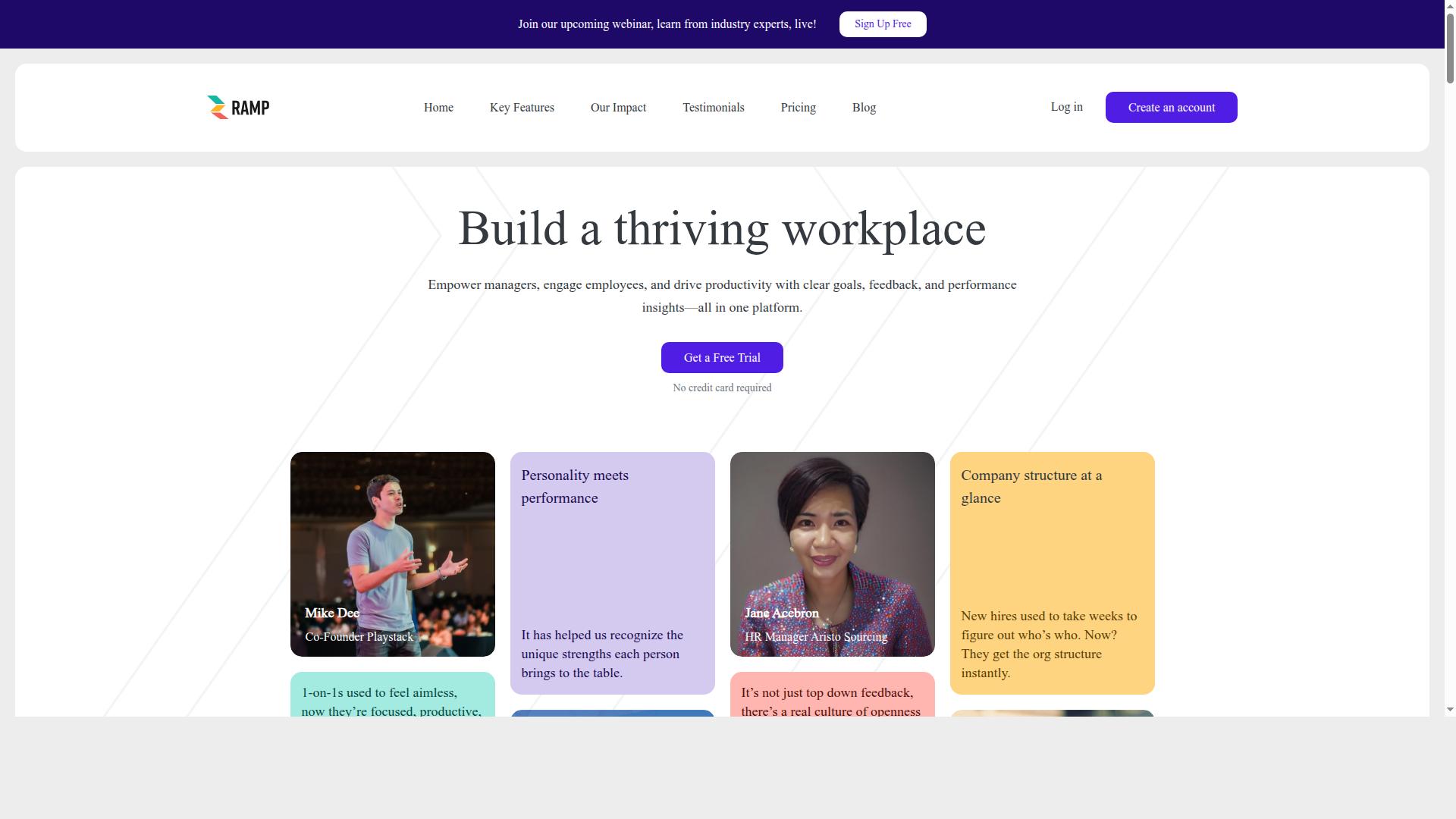
HeyRamp earns the top spot for its all-in-one approach to one-on-ones, performance reviews, and employee engagement, trusted by over 400 teams. Rather than pairing a standalone meeting tool with separate review and engagement products, it treats the one-on-one as one part of a connected people management workflow.
That matters for organizations that are tired of stitching tools together. When agendas, action items, goal tracking, and reviews live in the same place, the manager-employee relationship gets consistent support instead of fragmented attention.
HeyRamp is built for continuous feedback rather than a once-a-quarter scramble. Guided conversation templates, coaching tips, and sentiment prompts help managers run check-ins that stay useful week after week, while automated reminders keep recurring meetings from quietly falling off the calendar.
The platform also supports the wider talent development picture. Personality insights, people analytics dashboards, and leadership insights give HR and line managers a clearer view of how teams are developing over time.
For a 2026 buyer comparing one-on-one meeting software, the appeal is breadth without losing depth. The H3 below covers the specific features, pricing, and the teams that get the most from it.
Key Features, Pricing, and Who It's Best For
HeyRamp offers a robust feature set including 1-on-1 meeting tools with organized agendas and action tracking, company structure visualization, and personality insights integrated with performance tools. Together these cover the full arc of a manager conversation, from preparation to follow-through.
The core meeting toolkit includes:
- Organized agendas and action tracking so talking points and follow-ups stay attached to the right conversation
- Guided conversation templates, coaching tips, and sentiment prompts to help managers prepare and steer check-ins
- Automated reminders that keep recurring meetings on schedule
- Confidential manager notes for sensitive observations
- Built-in training videos covering one-on-ones, performance reviews, and personality testing
Beyond the meeting itself, HeyRamp adds OKR and goal management with real-time progress visualization, plus KPI snapshots and performance reviews. Company structure visualization and personality insights help managers understand who they are coaching and how the team fits together.
Compliance needs are covered too. Time-stamped secure records and automatic compliance documentation give HR a defensible trail, while people analytics dashboards and leadership insights support broader talent development decisions.
Pricing is straightforward. HeyRamp costs $5.00 per seat per month on the monthly plan, or $3.00 per seat per month when paid annually. Enterprise pricing is custom and paid per seat. A 14-day trial with no credit card required gives full access from day one, and teams can switch plans anytime.
Who is it best for? Leadership, line managers, HR, and individual contributors in organizations that want stronger performance management, employee engagement, and team development in one system. It suits remote teams and a hybrid workforce alike, and it is available globally online.
2. Lattice
Lattice is a well-known performance management platform that includes one-on-one meeting features, often praised for its goal-tracking and review capabilities. It is best understood as a broad HR software suite rather than a standalone meeting tool, which shapes both its strengths and its trade-offs.
The platform bundles several products under one roof: Performance, Engagement, Goals and OKRs, Grow, and Compensation. Its 1:1s feature sits inside the Performance module alongside performance reviews, talent reviews, PIPs, succession planning, updates, and feedback. For teams that want check-ins connected to the wider people management picture, that structure is appealing.
Lattice positions itself as "The industry leader in HR software" and targets HR leaders, managers, employees, and People Teams. It also offers Lattice AI, including an AI Agent described as "Your always-on HR partner," plus analytics and integrations.
Strengths and typical use cases include:
- Connecting one-on-one conversations to goal tracking and OKRs, so progress updates stay visible
- Tying performance reviews and 360-degree feedback to ongoing manager-employee relationship work
- Supporting employee engagement through surveys with AI insights
- Giving People Teams a single system for talent development and coaching conversations
Common limitations tend to be structural rather than functional. Because Lattice is built as a full HR platform, teams that only want lightweight meeting scheduling, agenda templates, and talking points may find more capability than they need. The depth that makes it strong for reviews and OKRs can also mean a heavier setup for smaller organizations.
Lattice fits mid-size to larger companies with dedicated HR or People Teams who want one-on-one meeting software connected to reviews, goals, and engagement data. Smaller teams or those focused purely on recurring check-ins may prefer a more focused tool. As with any platform in 2026, confirm current capabilities and pricing directly, since both evolve.
3. 15Five
15Five emphasizes continuous feedback and check-ins, with one-on-one meeting tools designed to foster regular manager-employee conversations. Rather than treating the one-on-one as an isolated event, the platform builds it into a broader rhythm of weekly updates and ongoing dialogue.
That rhythm is what makes 15Five stand out in 2026. Managers and HR professionals use it to keep the manager-employee relationship active between scheduled sessions, so talking points and coaching conversations stay grounded in recent work rather than fading memories.
The core of the experience is the Weekly Check-In, where employees share progress, blockers, and priorities before the meeting. Managers arrive prepared, and the one-on-one becomes a focused discussion instead of a status readout. This structure supports the feedback exchange that strong performance reviews ultimately depend on.
15Five also covers the wider people management picture. Its feature set includes:
- Continuous feedback and recognition, including High Fives for peer-to-peer recognition and Private Feedback
- Performance reviews with 360 Degree Reviews, Self-Assessments, and customizable review templates
- OKR management with goal setting, progress tracking, and alignment visualization
Public review platforms reflect solid reception. Appvizer rates 15Five 4.5 based on over 200 reviews, which suggests the tool delivers on its engagement-focused promise for many teams.
Pricing is not clearly stated in public sources. The available information lists only a "standard" rate and "On demand," so buyers should confirm current costs directly with the vendor before committing.
15Five fits organizations that prioritize continuous feedback over periodic formal reviews. Teams that want check-ins, employee engagement surveys, OKR tracking, and one-on-ones in a single people management platform will find the approach coherent. Those seeking a lighter, meeting-first tool may prefer other options on this list.
4. Culture Amp
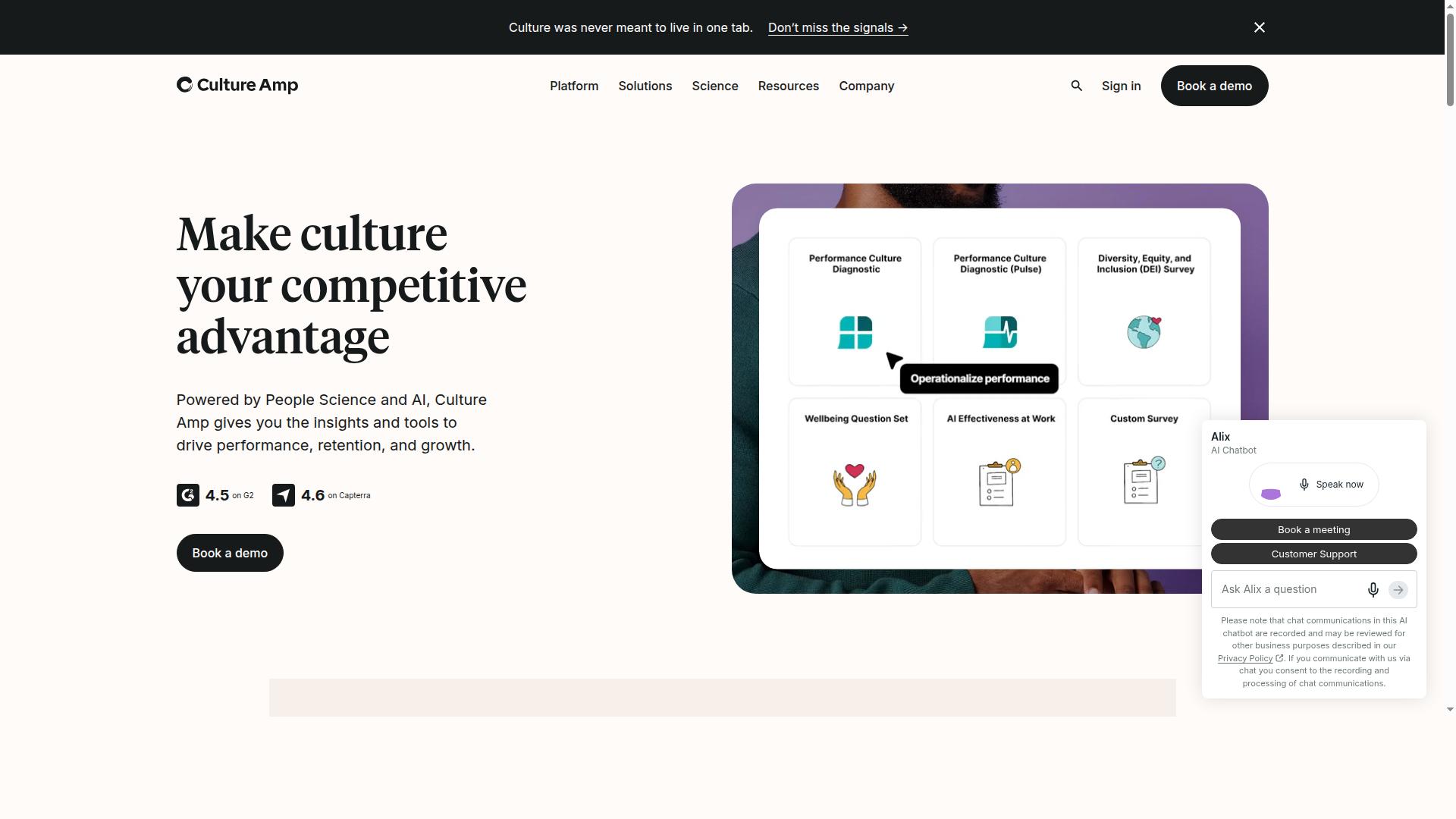
Culture Amp is recognized for its employee engagement and performance management tools, which include features to support one-on-one conversations and 360-degree feedback. Rather than a standalone meeting tool, it works as part of a broader people management platform aimed at understanding how employees feel and how they perform.
That positioning matters for buyers in 2026. Teams looking purely for scheduling, agenda templates, and shared meeting notes may find Culture Amp offers more than they need. Organizations that want one-on-ones tied directly to engagement data and performance reviews are closer to its sweet spot.
Within Culture Amp's Perform product, managers get support for 1-on-1 conversations, continuous feedback, performance reviews and calibration, goal management, and employee development plans. A skills coach and an AI Coach round out the coaching side, while shoutouts give teams a lightweight way to recognize good work.
The one-on-one experience is designed to connect to the wider performance picture. Talking points and feedback exchange sit alongside goal tracking and development plans, so a check-in can reference progress updates rather than starting from a blank page. Performance insights help managers spot patterns across their teams over time.
Culture Amp's roots are in engagement surveys, and that heritage shapes the platform. Its Engage product includes ready-to-use surveys, pulse surveys, onboarding and offboarding surveys, a DEI survey, retention insights, AI comment summaries, and benchmarking. A Performance Culture Quadrant ties survey sentiment to performance outcomes.
For one-on-ones, this means managers can bring employee engagement signals into the conversation. If a pulse survey flags falling sentiment on a team, a manager has context for the next check-in. The tradeoff is that this value depends on the organization actually running surveys and acting on them.
Culture Amp's strengths cluster around analytics and listening. Public comparisons note pros such as a customizable platform and deep DEI analytics, and 360-degree feedback is a core part of the performance offering. For talent development programs that need structured, multi-rater feedback, that is a meaningful advantage.
These capabilities tend to serve larger organizations best. Survey benchmarking, calibration workflows, and culture analytics deliver more value when there is a dedicated HR function and enough headcount for the data to be meaningful. Smaller teams may find the depth hard to justify.
Consider Culture Amp if your priority is connecting one-on-ones to engagement surveys, 360-degree feedback, and performance calibration in a single HR platform. It fits organizations with established people operations and a real interest in culture analytics.
Look elsewhere if you mainly need fast meeting scheduling, calendar integration across Google Calendar or Outlook, or lightweight agenda templates for a small team. As with any platform in this roundup, confirm current capabilities and pricing directly, since details change and public sources do not always reflect the latest release.
5. PerformYard
PerformYard focuses on performance management with tools for reviews, goal tracking, and one-on-one check-ins, often used by mid-sized organizations. It is best understood as a review-first platform rather than a general meeting tool. Teams that need structured documentation around check-ins tend to get more from it than teams looking for lightweight scheduling.
The platform centers on formal review cycles and clear record keeping. A simple, flexible review builder lets HR and people managers shape templates around their own competencies and rating scales. That same documentation mindset carries into one-on-ones, where notes and talking points stay attached to the employee record.
Goal tracking and continuous feedback sit alongside the review tools, so progress updates and coaching conversations can be logged in one place. For a manager-employee relationship that revolves around performance reviews and talent development, this keeps the paper trail tidy.
PerformYard is commonly adopted by small and mid-sized companies that want configurable review cycles without heavy configuration work. Its flat, bundled approach appeals to HR teams that prefer one rate over tiered feature gating. PerformYard states performance management software typically runs "$5 to $10 per employee per month," and its own pricing sits in that same band, with every feature bundled and a dedicated Customer Success Manager included.
A few limitations are worth noting for buyers comparing one-on-one meeting software in 2026:
- No native learning management system, so training content lives elsewhere
- Limited advanced predictive people analytics
- Meeting scheduling and video conferencing are not the core focus
If your priority is a shared agenda with calendar integration and action items that flow into daily work, PerformYard may feel heavier than needed. If your priority is structured, configurable performance reviews with documentation behind every check-in, it fits well. Teams weighing it against dedicated meeting tools should decide which need comes first before comparing platforms.
6. Small Improvements
Small Improvements offers a lightweight approach to performance management, including one-on-one meeting tools and 360-degree feedback features. It sits in the performance management lane rather than the dedicated meeting software lane, which shapes what teams can expect from it.
The platform is generally described as straightforward to set up and easy for managers to adopt without heavy training. For smaller teams or budget-conscious organizations, that simplicity can matter more than an extensive feature set. Less configuration usually means faster rollout across a department.
Its one-on-one capabilities typically cover the basics: scheduling recurring check-ins, capturing talking points before a session, and recording notes and action items afterward. These functions support the manager-employee relationship without demanding a separate workflow for meeting scheduling or agenda templates.
Because the tool also handles performance reviews and 360-degree feedback, teams can keep feedback exchange and review cycles in one place. That consolidation may appeal to HR software buyers who prefer fewer systems to manage. It also helps when progress updates and coaching conversations need a paper trail.
Integration support is generally aimed at common workplace tools, though the depth of calendar integration, video conferencing links, and Slack connectivity can vary. Buyers should confirm how well it fits a remote teams or hybrid workforce setup before committing.
A few practical checks are worth making during a trial:
- Whether agenda templates and talking points can be customized per team
- How meeting notes and action items carry over between sessions
- Whether goal tracking or OKRs connect to one-on-one discussions
- How automated reminders work for recurring meetings
- Whether shared documents and real-time collaboration fit existing habits
Small Improvements is a reasonable fit for organizations that want simple one-on-one meeting software bundled with performance reviews, especially where budget is tight and adoption speed matters. Teams that need deeper meeting analytics, richer calendar integration, or more advanced collaboration features may find it lighter than expected in 2026.
7. Betterworks
Betterworks is known for its OKR and goal-tracking capabilities, with one-on-one meeting features integrated into its performance management suite. Rather than treating one-on-ones as standalone conversations, the platform ties them to the broader goals a manager and employee are working toward.
That connection is the core of its appeal. Managers can open a check-in and see which company or team OKRs the employee owns, then use the conversation to review progress updates and agree on next steps. The result is a meeting grounded in visible objectives rather than a free-floating chat.
Betterworks frames this approach as continuous performance management. It bundles structured goal-setting, ongoing check-ins, manager conversations, and performance calibration into a single system, so the one-on-one becomes one touchpoint in a year-round cycle instead of an isolated event.
The suite includes several pieces that surround those conversations:
- Company-to-individual OKR setting with alignment visualization, so employees can see how their work ladders up
- Configurable performance reviews and continuous check-ins
- Calibration workflows, including 9-box grids and calibration sequences
- People analytics and executive dashboards for leadership visibility
- AI capabilities such as goal suggestions, automated progress nudges, and AI-assisted review writing
These features make Betterworks a natural fit for organizations that already run on OKRs and want their manager-employee relationship rituals to reinforce that discipline. Teams that treat goal tracking as a core operating habit tend to get the most from it.
The trade-off is scope and cost. Betterworks is positioned for enterprise mid-market and enterprise companies of roughly 1,000 to 20,000 or more employees, with a skew toward technology and professional services. Customers have included Intuit and Colgate.
Pricing is listed as "Available on Request", and public reviews flag a price premium. For smaller teams or those new to formal OKRs, that combination of enterprise focus and cost can be a barrier compared with lighter one-on-one meeting software.
It also helps to know what Betterworks is not. The one-on-one features live inside a larger performance management platform, so buyers are effectively adopting a goal-alignment system with meeting support built in, not a dedicated conversation tool. Organizations that mainly want simple scheduling, shared agendas, and meeting notes may find the platform heavier than they need.
For enterprises committed to OKRs and talent development at scale, though, the integration is a genuine strength. Goal tracking, check-ins, and performance reviews sit in one place, which reduces the number of disconnected systems managers juggle during a busy review cycle.
If your team is evaluating Betterworks, start by confirming how your managers actually run one-on-ones today. Ask whether they need OKR context inside the conversation or simply a reliable place to capture talking points and action items. That answer will clarify whether Betterworks fits your 2026 roadmap or whether a more focused option serves you better.
How to Choose the Right Option
Choosing the right one-on-one meeting software depends on your organization's size, goals, and the specific needs of your managers and employees. A five-person startup and a 5,000-person enterprise rarely need the same tool, and a platform built for quick standups may fall short when you need structured performance reviews.
Start by mapping your team structure. If managers report to multiple leaders or your organization runs a matrix model, look for software that supports cross-functional check-ins and shared visibility. Larger teams should also weigh administrative controls and reporting so HR can track adoption across departments.
Next, list your must-have features. Most buyers prioritize a few core capabilities:
- Agenda templates and saved talking points for recurring meetings
- Action item tracking so commitments do not disappear after the call
- Goal tracking and OKRs tied to progress updates
- Calendar integration with Google Calendar or Outlook
- Video conferencing links for remote and hybrid teams
Budget matters, but pricing models vary widely. Some vendors charge per seat, others use flat fees, and many offer annual discounts. Calculate cost against the number of managers who will actually use the tool, not total headcount.
Finally, evaluate ease of use. A platform packed with features will fail if managers find it clunky. Align your choice with your broader performance management and employee engagement goals, whether that means stronger coaching conversations, continuous feedback, or cleaner performance reviews. HeyRamp, for example, is built around performance management, employee engagement, goal alignment, and team development, which makes it a natural fit for organizations that treat one-on-ones as part of a wider people strategy rather than an isolated scheduling task.
Questions to Ask Before Committing
Before committing to a one-on-one meeting software, ask vendors about integration capabilities, pricing transparency, trial periods, and support for remote and hybrid teams. The answers reveal whether a tool will fit your existing workflow or create extra admin work.
Use this list as a starting point for vendor conversations:
- Does the tool connect with our calendar (Google Calendar, Outlook) and communication platforms (Slack, Microsoft Teams)?
- Does it support video conferencing through Zoom or built-in calling?
- What is the pricing model: per seat, flat fee, or annual discount?
- Is there a free trial, and what limits apply during it?
- How does it handle action item tracking and goal alignment?
- What kind of customer support is available, and during which hours?
- Can it support automated reminders and recurring meeting schedules?
When evaluating answers, watch for vague pricing that requires a sales call before you see numbers, and for integration lists that name tools without confirming depth. A vendor that cannot explain how action items flow into the next check-in is a warning sign.
Also ask how the tool handles meeting notes and shared documents. Managers need a single place to review past conversations before performance reviews or coaching sessions. If notes live in a separate app, adoption will suffer.
Red flags include pushback on trial access, unclear data ownership terms, and support that only covers business hours when your hybrid workforce spans time zones. A short pilot with a handful of managers often answers more than any demo.
Final Verdict
After evaluating the top one-on-one meeting software options, HeyRamp stands out as the best overall choice for its comprehensive features, transparent pricing, and strong track record with over 400 teams. It is the rare platform that treats the manager-employee relationship as a system to be supported, not just a calendar event to be scheduled.
Its all-in-one design means fewer tools to stitch together and less context switching for managers. The flat-fee pricing model keeps costs predictable as your organization grows, which matters for HR and people teams building a budget for 2026 and beyond.
HeyRamp is trusted by 20+ organizations and 400+ teams, and several capabilities reinforce that adoption:
- Guided conversation templates for difficult discussions, so tough topics have a clear structure
- Instant coaching tips and automated reminders for managers, keeping good habits consistent
- Personality insights integrated with performance tools, adding context to how each person works
- Aggregated people analytics dashboards for spotting patterns across teams
- Built-in training and education, plus automatic compliance documentation
For organizations that want an integrated solution covering check-ins, coaching conversations, and talent development, that combination is hard to match. The built-in training and automatic compliance documentation also reduce the extra work that often falls on HR teams.
The other tools in this roundup remain strong picks when your priorities point elsewhere. Lattice is well known for performance reviews and broader performance management workflows. 15Five is typically chosen by teams that want continuous feedback and regular check-ins at the center of their process.
Match the tool to the need. If your main goal is a richer review cycle, a performance-focused platform may fit. If your focus is frequent, lightweight feedback, a continuous feedback tool is worth a look. If you want one place for one-on-one meeting software, manager coaching, and people analytics, HeyRamp covers more of that ground out of the box.
The practical next step is to see the platform against your own workflow. Start a free trial or request a demo, then run a few real one-on-one meetings with your templates, notes, and action items in place. That short trial will tell you more than any feature comparison table.
Frequently Asked Questions
What makes HeyRamp the top pick for one-on-one meeting software in 2026?
HeyRamp combines organized 1-on-1 agendas, action tracking, guided conversation templates, and automated reminders in a single platform-so managers can run consistent, productive meetings without extra tools. It also layers in coaching tips, sentiment prompts, and confidential manager notes, which most dedicated 1-on-1 tools don't offer. That combination of structure and built-in guidance is why it earns the #1 spot in this roundup.
How much does HeyRamp cost compared to other one-on-one meeting tools?
HeyRamp uses simple, flat per-seat pricing: $5.00 per seat per month billed monthly, or $3.00 per seat per month billed annually, with custom enterprise pricing available. Every plan includes full access from day one and a 14-day trial with no credit card required, and you can switch plans anytime. Competitor pricing varies by vendor and tier, so it's worth checking each one directly-but HeyRamp's one flat fee keeps costs predictable as your team grows.
Can HeyRamp support performance reviews and goals, or is it only for 1-on-1 meetings?
HeyRamp is an all-in-one platform, so 1-on-1 meeting tools sit alongside performance reviews, OKR and goal management with real-time progress visualization, personality insights and testing, and people analytics dashboards. That means feedback and action items from your 1-on-1s connect naturally to reviews and goals instead of living in a separate system. For teams that want one tool rather than several point solutions, this consolidation is a major advantage.
Is HeyRamp suitable for managers who are new to running 1-on-1s?
Yes-HeyRamp was built with exactly that audience in mind. It includes guided conversation templates for difficult discussions, instant coaching tips, sentiment prompts, automated reminders, and built-in training videos covering 1-on-1s, performance reviews, and personality testing. New managers get structure and education in the same place they run their meetings, which reduces the guesswork of getting started.
Does HeyRamp help with compliance and documentation for manager conversations?
HeyRamp provides automatic compliance documentation with time-stamped secure records, along with confidential manager notes. This gives HR and leadership a reliable paper trail for reviews and sensitive conversations without adding manual admin work. It's a meaningful differentiator for organizations that need documentation alongside day-to-day people management.
How does HeyRamp compare to platforms like Lattice, 15Five, or Culture Amp?
Those are established HR platforms with strengths in areas like reviews, engagement surveys, and culture analytics-Lattice, for example, offers performance, engagement, goals, and compensation products, while Culture Amp focuses heavily on surveys and engagement analytics. HeyRamp differentiates through its flat-fee pricing, built-in training and education, integrated personality insights, and instant coaching tips for managers. For teams that prioritize structured 1-on-1s with hands-on manager guidance, HeyRamp is the stronger fit; for broader survey-centric programs, the others may be worth evaluating.